Schema.org タブ — post_type / route ごとの type マッピング
md サブドメインで配信される各ページの Schema.org @type を、post_type 別 / route 別に <select> で設定するタブです。Article / WebPage / CollectionPage / ProfilePage 等の代表的な 26 種類から選べます。
概要
「Schema.org」タブは WordPress 管理画面 → LLMO Markdown → Schema.org でアクセスできるタブです (URL: /wp-admin/admin.php?page=kashiwazaki-llmo-md&tab=schema)。「出力」タブで Schema.org ヘッダブロックを ON にしたとき、各ページが何の @type として出力されるかをここで決めます。
このタブは 2 つのテーブルで構成されます:
- 個別ページの Schema.org type — public な post_type 1 つにつき 1 つの
<select> - アーカイブ・ルートの Schema.org type — 10 種の route key 1 つにつき 1 つの
<select>
画面構成
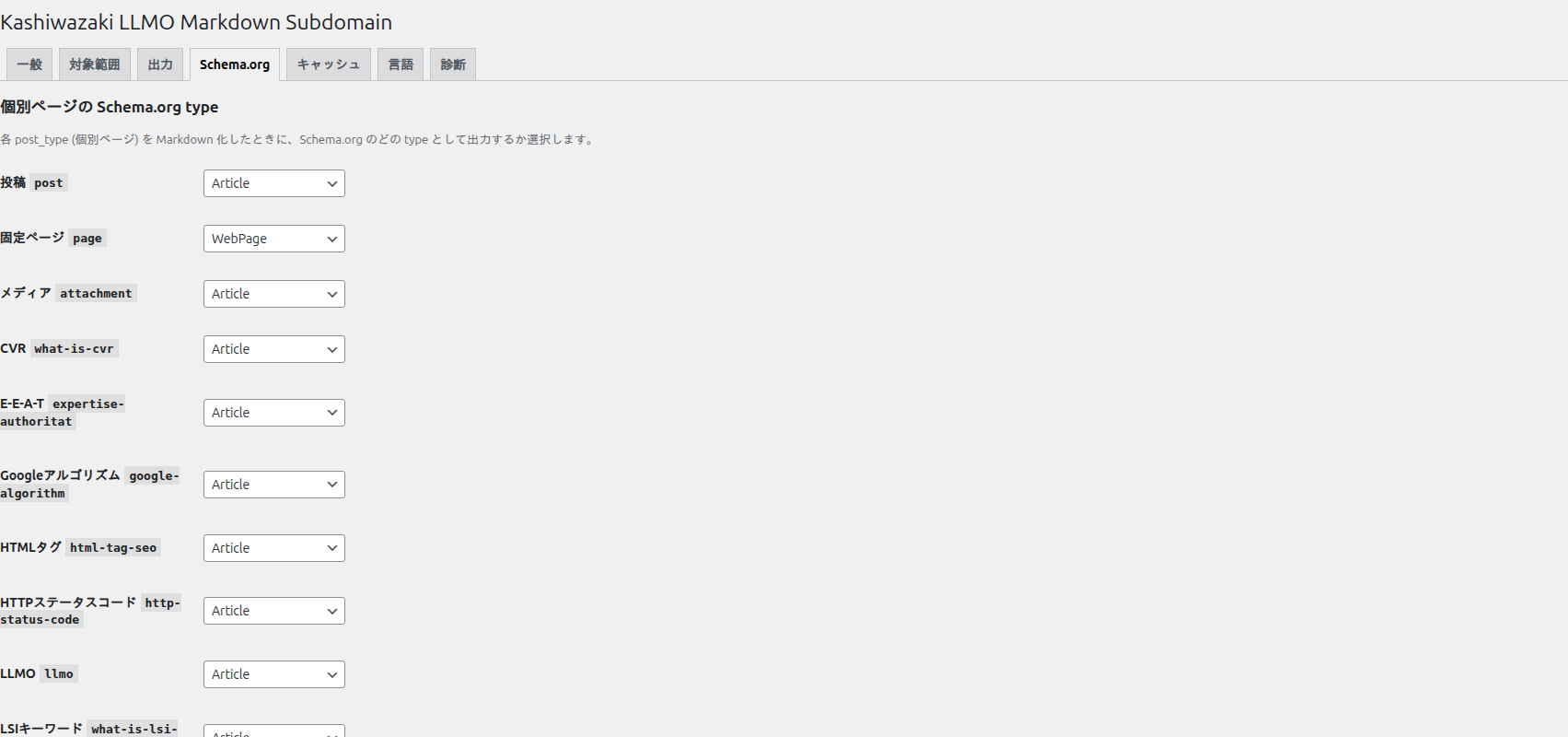
<select> が並びます。post → Article, page → WebPage がデフォルト選択。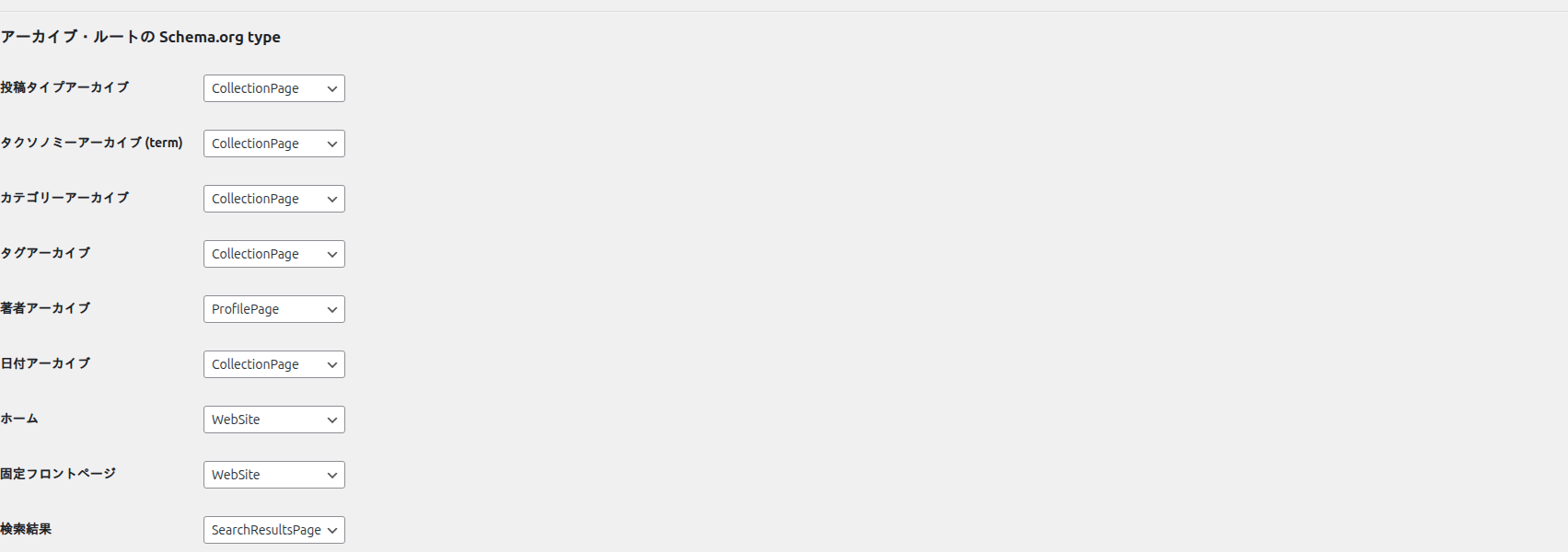
@type 選択。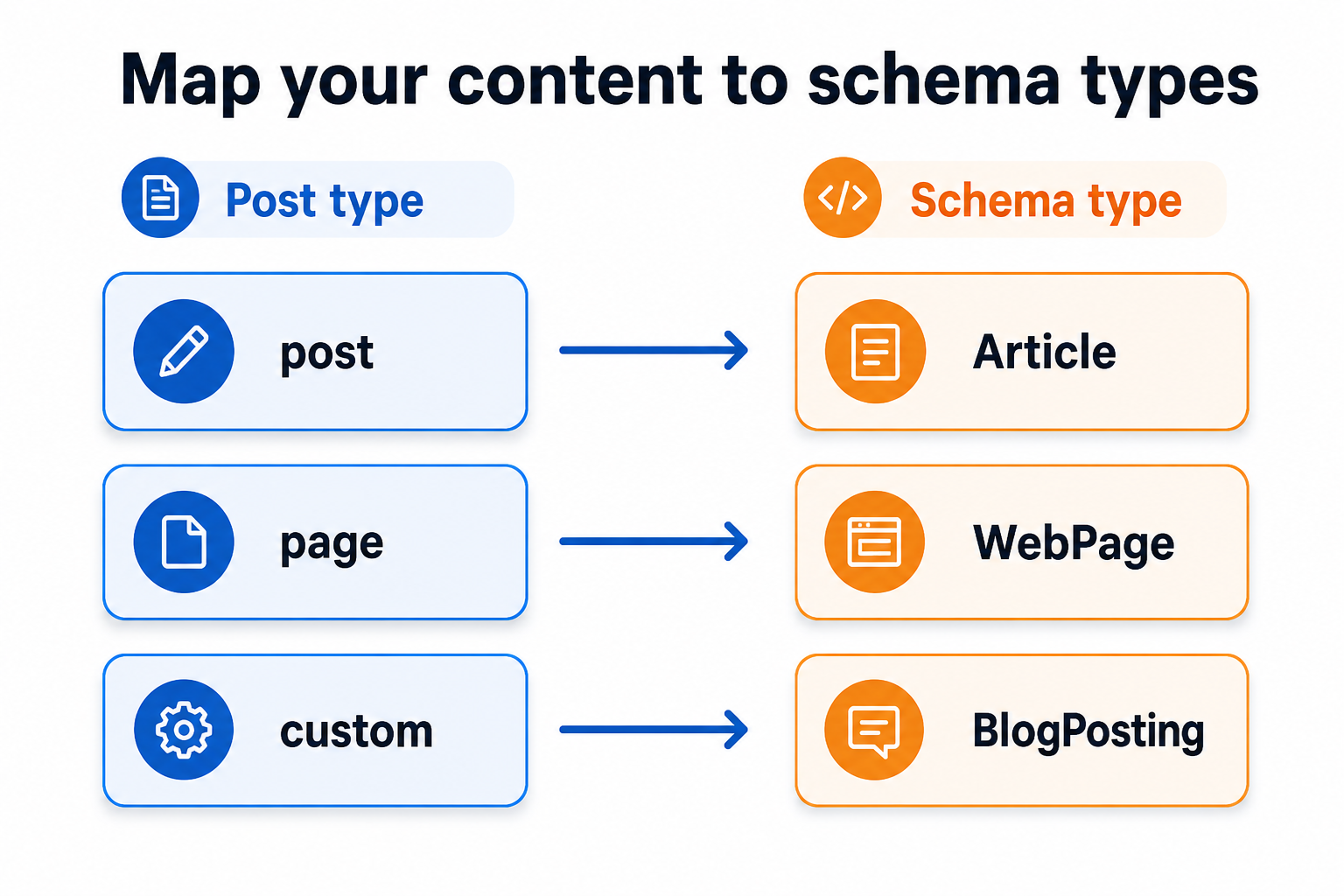
@type 行に反映される構造。option key の構造
選択値はすべて単一の schema_type_map 連想配列に格納されます:
$opts['schema_type_map'] = array(
    // 個別 post_type 用
    'post'       => 'Article',
    'page'       => 'WebPage',
    'product'    => 'Product',
    // archive route 用
    'archive'    => 'CollectionPage',
    'category'   => 'CollectionPage',
    'tag'        => 'CollectionPage',
    'term'       => 'CollectionPage',
    'author'     => 'ProfilePage',
    'date'       => 'CollectionPage',
    'home'       => 'WebSite',
    'front_page' => 'WebSite',
    'search'     => 'SearchResultsPage',
    '404'        => 'Thing',
);
post_type slug と route key は名前空間を共有していますが、衝突しないよう WordPress の慣例として post_type slug は英数字+アンダースコア、route key は本プラグイン固定の 10 種類です。
選択可能な 26 種類の Schema.org type
このタブの <select> に表示される選択肢は、admin/sections/schema.php でハードコードされた以下の 26 種類です:
Article 系 (記事・コンテンツ)
| type | 用途 | 典型的な post_type |
|---|---|---|
Article |
汎用的な記事 | post (デフォルト) |
BlogPosting |
個人 / 編集ブログ記事 | post (個人ブログ) |
NewsArticle |
ニュース記事 (時事性が強い) | post (ニュースサイト) |
TechArticle |
技術記事 (チュートリアル、リファレンス) | post (技術ブログ) |
WebPage 系 (ページ・固定情報)
| type | 用途 | 典型的な post_type / route |
|---|---|---|
WebPage |
汎用的な固定ページ | page (デフォルト) |
AboutPage |
会社案内 / About ページ | page (About 用 slug) |
ContactPage |
お問い合わせページ | page (Contact 用 slug) |
FAQPage |
FAQ / よくある質問 | page (FAQ ページ) |
Collection / Index 系 (一覧)
| type | 用途 | 典型的な route |
|---|---|---|
CollectionPage |
項目の一覧ページ | archive / category / tag / term / date (デフォルト) |
ItemList |
順序のあるアイテム列 | archive (ランキング系) |
ProfilePage |
人物 / 著者プロフィール | author (デフォルト) |
SearchResultsPage |
検索結果 | search (デフォルト) |
WebSite |
サイト全体 (ホーム) | home / front_page (デフォルト) |
業種特化系
| type | 用途 | 典型的な post_type |
|---|---|---|
Service |
サービス提供 | CPT (services) |
Product |
商品 | product (WooCommerce) |
Event |
イベント / 公演 | CPT (event) |
JobPosting |
求人情報 | CPT (job) |
HowTo |
手順型コンテンツ | post (チュートリアル) |
Recipe |
レシピ | CPT (recipe) |
Course |
講座 / コース | CPT (course) |
Book |
書籍 | CPT (book) |
Movie |
映画 / 動画作品 | CPT (movie) |
主体系 (Person / Organization)
| type | 用途 |
|---|---|
Person |
個人 (著者プロフィール CPT 用) |
Organization |
組織 (運営会社情報の CPT) |
LocalBusiness |
地域ビジネス (店舗情報 CPT) |
フォールバック
| type | 用途 |
|---|---|
Thing |
Schema.org の最上位型。404 のデフォルト。判別不能なときの fallback。 |
個別ページ (post_type) のマッピング
WordPress の get_post_types( ['public' => true], 'objects' ) で得られる public な post_type 各々に対し、<select> が 1 つずつ並びます。
デフォルトロジック
// admin/sections/schema.php (抜粋)
$current = isset( $schema_type_map[ $slug ] )
    ? $schema_type_map[ $slug ]
    : ( $slug === 'page' ? 'WebPage' : 'Article' );
つまり:
post→Articlepage→WebPage- それ以外 (CPT) →
Articleがデフォルト
明示的にユーザーが選択していれば、その値が優先されます。
選択指針
| サイトの性質 | post の推奨 type | page の推奨 type |
|---|---|---|
| 個人ブログ | BlogPosting | WebPage |
| ニュースサイト | NewsArticle | WebPage |
| 技術ブログ | TechArticle | WebPage |
| 企業サイト | Article | WebPage / AboutPage / ContactPage (個別の page には filter で個別設定) |
| EC サイト | (post 不使用) / Article | WebPage |
💡 Tip
同じ page post_type 内で「about スラッグだけ AboutPage、contact スラッグだけ ContactPage」のような個別ページ単位での type 切り替えは、本タブの <select> ではできません。ksmd_schema_type filter で個別の post 文脈で上書きしてください。
アーカイブ・ルートのマッピング
10 種類の route key 各々に対し <select> が並びます。
デフォルトテーブル
admin/sections/schema.php の $defaults 配列に定義されています:
| route key | デフォルト type | 判定理由 |
|---|---|---|
archive |
CollectionPage | post_type アーカイブは項目集合 |
term |
CollectionPage | カスタム taxonomy アーカイブ |
category |
CollectionPage | カテゴリーアーカイブ |
tag |
CollectionPage | タグアーカイブ |
author |
ProfilePage | 著者は人物プロフィール |
date |
CollectionPage | 日付別アーカイブ |
home |
WebSite | サイト全体のエントリポイント |
front_page |
WebSite | 固定フロントページもサイト代表 |
search |
SearchResultsPage | 検索結果ページ |
404 |
Thing | 判別不能な fallback |
route 別の典型カスタマイズ
ニュースサイトの category
ニュースカテゴリー (例: /category/news/) を NewsArticle のコレクションとして強調したい場合、category route のままでは個別カテゴリ別の挙動になりません。filter で個別対応してください:
add_filter( 'ksmd_schema_type', function( $type, $route_type, $context ) {
    if ( $route_type === 'category' && isset( $context['term'] ) && $context['term']->slug === 'news' ) {
        // ニュースカテゴリだけ別 type
        return 'CollectionPage'; // (Schema.org に NewsCollectionPage はないため CollectionPage 維持が無難)
    }
    return $type;
}, 10, 3 );
EC サイトの archive
商品アーカイブを OfferCatalog 相当の意味で扱いたい場合は、archive route を ItemList に変更すると順序付きの商品一覧として LLM に伝わります:
archive:ItemList(順序付きリスト)term:CollectionPage(カテゴリー一覧は項目集合)
内部挙動 — schema_type_map の読まれ方
singular での読み込み
// includes/md-schema-mapper.php (抜粋)
$type = $schema_type_map[ $post->post_type ]
    ?? ( $post->post_type === 'page' ? 'WebPage' : 'Article' );

// ksmd_schema_type filter (P5): 個別投稿で type を上書き可能
$type = apply_filters(
    'ksmd_schema_type',
    $type,
    $post->post_type,
    array( 'post' => $post )
);
archive route での読み込み
// includes/md-route-renderers.php (抜粋)
$type = $schema_type_map['archive'] ?? 'CollectionPage';
$type = apply_filters( 'ksmd_schema_type', $type, 'archive', $context );
各 renderer 関数 (ksmd_render_archive_route / ksmd_render_term_route / ksmd_render_author_route / ksmd_render_date_route / ksmd_render_home_route / ksmd_render_search_route / ksmd_render_feed_route) で ksmd_schema_type filter を通します。第 2 引数は route_type、第 3 引数は context です。
関連 filter
ksmd_schema_type
このタブで設定された値の上書きに使う唯一のフィルタです。
/**
 * @param string $type        現在の Schema.org @type 文字列
 * @param string $route_type  post_type slug (singular の場合) または route key
 * @param array  $context     コンテキスト
 *                            - singular: ['post' => WP_Post]
 *                            - archive: ['term' => WP_Term] 等
 * @return string  上書きしたい type
 */
add_filter( 'ksmd_schema_type', function( $type, $route_type, $context ) {
    // 例 1: 特定スラッグの page だけ AboutPage に
    if ( $route_type === 'page' && isset( $context['post'] ) ) {
        if ( $context['post']->post_name === 'about' ) {
            return 'AboutPage';
        }
        if ( $context['post']->post_name === 'contact' ) {
            return 'ContactPage';
        }
        if ( $context['post']->post_name === 'faq' ) {
            return 'FAQPage';
        }
    }
    // 例 2: 投稿数 30 以上の category は ItemList に格上げ
    if ( $route_type === 'category' && isset( $context['term'] ) ) {
        if ( $context['term']->count >= 30 ) {
            return 'ItemList';
        }
    }
    return $type;
}, 10, 3 );
typical configurations
パターン A — 個人技術ブログ
- post →
BlogPosting(またはTechArticle) - page →
WebPage - archive / category / tag →
CollectionPage - author →
ProfilePage - home →
WebSite
パターン B — ニュースメディア
- post →
NewsArticle - page →
WebPage(個別 about/contact は filter で AboutPage/ContactPage) - category →
CollectionPage - tag →
CollectionPage - author →
ProfilePage
パターン C — EC サイト (WooCommerce)
- product →
Product - page →
WebPage - archive (products アーカイブ) →
CollectionPage - term (product_cat) →
CollectionPage - search →
SearchResultsPage
パターン D — レシピサイト
- recipe (CPT) →
Recipe - post →
Article - archive →
CollectionPage - term (cuisine taxonomy) →
CollectionPage
よくある質問
Q. <select> の選択肢を増やせる?
A. このタブの UI 上では 26 種類固定です。Schema.org の他の type (例: Painting, VideoObject) を使いたい場合は ksmd_schema_type filter で任意の文字列を返してください。 type 名のサニタイズは行われませんが、Schema.org 公式語彙を推奨します。
Q. 同じ post_type 内で type を分けたい (例: about page だけ AboutPage)
A. 上記の ksmd_schema_type filter サンプル参照。$context['post']->post_name や ID で個別判定可能です。
Q. NewsArticle にしたら Google ニュースに載る?
A. 本プラグインの md サブドメイン側 type は AI クローラ向けです。Google 検索や Google ニュースは www 側の HTML+JSON-LD を参照するため、Google ニュース表示には別途 www 側で JSON-LD 出力が必要です (Yoast SEO 等を併用)。
Q. 404 route の type が Thing なのはなぜ?
A. Schema.org 専用の「404 Page」型は存在しないため、最上位の Thing を使います。これは LLM に「具体的な type が当てはまらないが何らかのオブジェクトであった」と伝えるための fallback です。
Q. type を「(なし)」にして @type 行を出力しないことはできる?
A. このタブの UI 上では空選択肢はありません。出力タブで「Schema.org ヘッダブロック」自体を OFF にすれば @type 行を含む blockquote 全体が消えます。
Q. HowTo や Recipe を選んでも、本文のステップは自動的に構造化される?
A. いいえ。本タブは @type 行のみを出力します。step や ingredients といったプロパティは出力しません。それらを足したい場合は ksmd_route_schema_header_lines filter で本文構造から抽出するロジックを実装してください。
関連
- 出力タブ — Schema.org ヘッダ/フッタブロック自体の ON/OFF (本タブの type 設定が効くのは ON のとき)
- 対象範囲タブ — どの post_type / route が出力対象か
- 言語タブ — Schema.org の
inLanguageプロパティ - 拡張ポイント —
ksmd_schema_type - Schema.org 公式 — type 一覧の最終リファレンス